

Everyday life now runs on digital tools. From calls and video chats to online study and remote work, these systems shape the way people connect and decide today.
This article uses a list format to show clear, evidence-based views. We will note the benefits in work, healthcare and global communication, plus the trade-offs that can harm sleep, posture and focus.
Technology allows access to vast information and resources. That access can boost learning and choice, yet also cause overload when boundaries blur.
Later sections will cite peer‑reviewed research and give practical tips. Expect a snapshot of where tech helps and where it harms, plus surprising ways it shapes attention and routine.
Today’s tech at a glance: where it helps and where it hurts
Modern digital tools speed many tasks but introduce quieter strains on attention.
Quick snapshot: connectivity, convenience, and the hidden costs
Where it helps: Digital tools and collaboration platforms compress distance and save time. Shared resources and cloud services boost organisational efficiency and let teams in different parts of the world move projects faster.
Where it hurts: Constant alerts and context switching fracture attention. Media overload and round‑the‑clock access produce stress, irritability and decision fatigue — early signs of negative effects on daily life.
Research shows overall social media time has a weak link with low mood, but problematic patterns of use relate more strongly to depression. One study found that habit‑driven checking and emotionally charged feeds raise risk.
There is a physical cost too. Long, uninterrupted screen sessions can cause eyestrain, tension headaches and neck discomfort, especially with poor ergonomics.
Access to more information and resources is powerful, yet it demands better filtering and time management. Convenience can breed dependency, filling spare moments and crowding out reflection.
Small protective habits — scheduled breaks, notification triage and mindful media choices — help preserve gains while reducing negative effects on our lives.
The upside: technology allows faster work, better care, and richer connections
Across offices and clinics, digital systems speed tasks and deepen links between teams and patients.
Workplace efficiency and tools
Automation and smarter tools cut routine steps so teams focus on higher‑value tasks. Computers and cloud software automate reports, run analysis and speed forecasting.
Collaboration platforms support real‑time co‑creation. Shared documents, version control and video meetings let people across the world contribute without delay.
Healthcare and telemedicine
Telemedicine brings appointments into the home and widens access in underserved areas. Clinicians use connected devices and data to diagnose and monitor with greater precision.
Medical research moves faster when data and computation shorten trial design and analysis cycles.
Global communication and learning
Online courses and digital libraries give learners access to high‑quality resources from leading institutions. The internet enables instant meetings, shared transcripts and easier information flow.
- Faster reporting and quicker decisions from integrated systems.
- Better diagnosis, broader care access and accelerated research.
- Stronger ties across borders through reliable communication tools.

The downside: negative effects of technology on body and mind
Frequent interactions with screens often carry unseen costs for health and daily routine.
Eyestrain and screen fatigue: signs and simple fixes
Common symptoms include dry or tired eyes, blurred vision and tension headaches. If symptoms persist despite breaks, consult an optometrist to rule out underlying issues.
Practical tip: follow the American Optometric Association’s 20‑20‑20 rule — every 20 minutes look at something 20 feet away for 20 seconds. Improve lighting, adjust font sizes on computers and mobiles, and check posture to reduce strain.
Sitting time and keeping active
Lengthy sitting accumulates during work and leisure, raising cardiometabolic risk unless offset by movement. Research links device use with more sedentary behaviour, increasing long‑term physical issues.
Small actions help: set hourly movement reminders, try short walks or standing tasks, and use fitness apps or structured online programmes to encourage physical activity.
Sleep disruption and better wind‑down habits
Using devices before bed, especially to view emotionally charged content, often harms sleep quality. Late exposure can shift circadian rhythms and worsen rest in young adults, according to several studies.
Blue‑light filters help but do not solve everything. Prioritise device curfews, gentle stretching, reading print or a warm bath to signal the body that it is time to unwind.
| Issue | Common symptoms | Simple countermeasures | When to seek help |
|---|---|---|---|
| Eyestrain | Dry eyes, blurred vision, headaches | 20‑20‑20 rule, lighting, font size | Symptoms persistent or worsening |
| Sedentary time | Stiffness, low energy, weight gain | Hourly breaks, standing work, apps | Chronic pain or rapid weight changes |
| Poor sleep | Difficulty falling asleep, restless nights | Device curfew, calming routines, print reading | Long‑term insomnia or mood decline |
Bottom line: small, consistent changes in timing, breaks and movement protect the body while keeping digital productivity. Early recognition of symptoms lets people act before minor issues become chronic.
Social media’s double edge: community, comparison, and social isolation
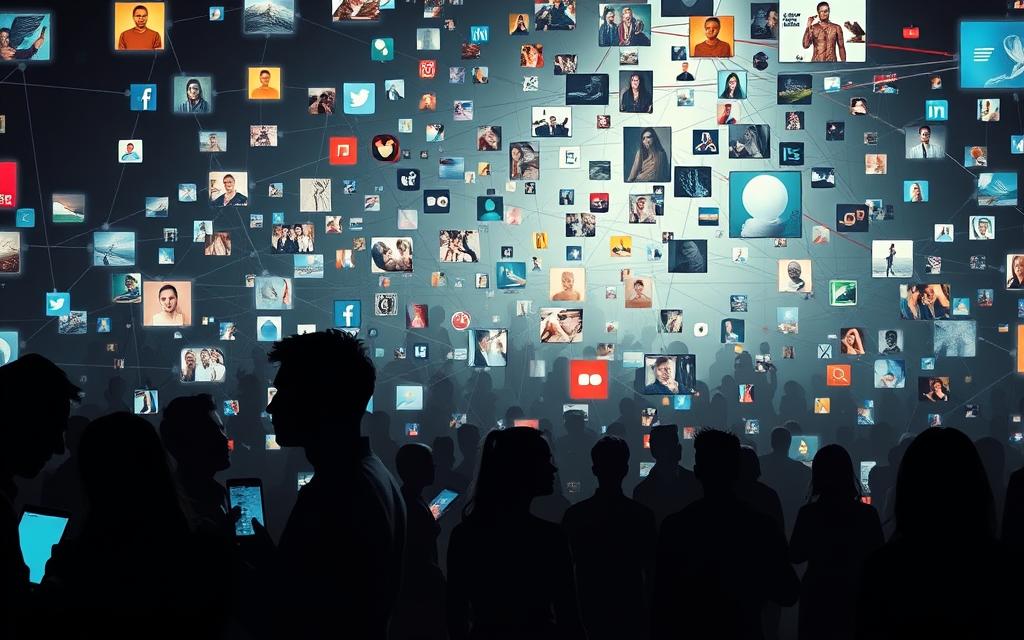
Social platforms offer quick community ties, yet they also fuel comparison and isolation.
Social media depression and media depression symptoms: what studies suggest
Reviews report a weak but significant association between time spent on social media and depression symptoms.
The link strengthens when use is problematic — think compulsive checking, rumination and mood‑driven feeds.
Media depression symptoms often overlap with sleep disruption, low motivation and elevated stress.
That overlap can mask root causes, so clinical assessment and context matter when symptoms persist.
Body image pressures versus body-positive content
Image‑focused feeds and behaviours such as frequent selfie editing or following “fitspiration” accounts tend to raise body dissatisfaction.
By contrast, exposure to body‑positive content often correlates with healthier body perceptions and greater self‑acceptance.
Social media use and loneliness: why intent and use patterns matter
A US study found young adults with higher social media use reported over three times the likelihood of perceived social isolation.
Yet reviews note that skilled, purposeful media use can reduce isolation among older adults.
Practical steps: curate follows, mute triggering topics and set time reminders. Limit late‑night screen exposure to emotional content to protect sleep and mood. Seek support if low mood lasts more than a few weeks.
| Issue | What studies suggest | Simple actions |
|---|---|---|
| Social media depression | Weak link with general time spent; stronger link for problematic use | Monitor patterns, limit compulsive checking, seek help if mood declines |
| Body image | Image‑centric feeds correlate with dissatisfaction; body‑positive content helps | Follow positive accounts, avoid editing habits, promote diverse images |
| Social isolation | Higher use linked to greater perceived isolation in young adults; skilled use helps older adults | Use platforms to join supportive groups, schedule in‑person contact, tailor feeds |
how technology is affecting us at work and home in the United States
Ubiquitous connectivity in the United States has pushed clear off‑hours out of reach for many people. Messages, email and apps follow teams across time zones, increasing time spent online and eroding recovery windows.
Always-on culture: blurred boundaries, time spent, and burnout risk
Always‑on behaviour fragments attention. Powerful tools deliver efficiency, yet constant alerts reduce deep work and raise burnout risk.
Practical fixes for hybrid teams include shared calendars, do‑not‑disturb windows and explicit response‑time norms. Those steps help protect focused time and team wellbeing.
Privacy and data breaches: protecting information while staying connected
More services mean wider data trails and greater exposure to privacy risk. Minimise oversharing, review app permissions and enable multi‑factor authentication to protect information.
- Use strong, unique passwords and MFA.
- Keep software updated and use encrypted connections on public internet.
- Pair focused online sessions with planned movement breaks to limit sitting time.
| Issue | Simple action | Benefit |
|---|---|---|
| Blurred hours | Response norms | Better recovery |
| Privacy trails | Permissions review | Less data exposure |
| Remote sitting time | Movement breaks | Preserve concentration |
Surprising ways tech shapes our lives today
Subtle design choices can turn a helpful app into a persistent distraction. Badges, alerts and infinite scroll reward quick checks. Over time that behaviour chips away at deep work without most people noticing.

When tools become distractions: attention drift and lost deep work
Small interface details shape screen time. Intermittent rewards and novelty increase mental switching costs and fragment concentration.
Research during COVID‑19 showed many switched to online routines, yet constant alerts still interrupted focus for remote teams and students.
Technology as both cause and cure: fitness apps, online tutorials, and healthier media use
The flipside is clear. Fitness apps, trackers and guided tutorials helped sustain physical activity during lockdowns. Reminders, programmes and community challenges boosted adherence and wellbeing.
Simple habit shifts make a big difference. Batch notifications, pre‑set meeting modes and planned check‑ins align tool behaviour with human rhythms.
- Curate feeds and set clear intentions to turn passive scrolling into purposeful learning.
- Audit apps periodically to remove overlap and reduce hidden friction.
- Use settings to make each tool serve a defined role for work or recovery.
Choose the right way to use digital resources by design, not default. That lets people reclaim focus and convert online help into real, measurable gains.
Conclusion
, Balanced routines let people keep gains from modern technology while limiting wear on daily lives. Treat each tool as a resource, not an automatic default, and set clear boundaries for work and rest.
Research and a wide study record link problematic social media patterns with lower mood and higher risk of depression. Image‑heavy feeds can harm body image, while body‑positive content often helps recovery from media depression symptoms.
Common physical risks include eyestrain, poor sleep and longer periods of sitting. These symptoms and other physical issues respond well to simple, evidence‑backed steps.
Use the 20‑20‑20 rule, set device curfews, schedule movement breaks, and trim notifications. Curate information and resources so screen time advances your goals. Periodically reassess habits as research and platforms evolve, and choose settings that amplify what matters most in your lives.
FAQ
What are the main benefits of modern digital tools for work and health?
Digital tools speed up tasks, improve team collaboration with platforms like Microsoft Teams and Slack, and enable telemedicine services from providers such as the NHS and private clinics. These advances support faster diagnosis, remote consultations and easier access to medical records, while productivity software reduces repetitive tasks.
Can prolonged screen use cause physical problems?
Yes. Extended screen time can lead to eyestrain, headaches and neck discomfort. Following the 20-20-20 rule — every 20 minutes look at something 20 feet away for 20 seconds — helps, and regular breaks, ergonomic chairs and standing desks reduce sitting-related issues.
How does social media influence mental health?
Social media can foster community and support but also heighten comparison, anxiety and symptoms of media-related depression. Patterns of passive scrolling, late-night use and exposure to edited images often correlate with lower mood and poorer self‑esteem, according to peer-reviewed studies.
What signs suggest social media–related depression?
Warning signs include persistent low mood after using platforms, withdrawal from real‑world contacts, disrupted sleep, reduced interest in activities and increased rumination about body image. Seek advice from a GP or mental health professional if symptoms persist.
How does screen time affect sleep?
Evening exposure to blue light from phones and tablets can delay melatonin production and shift sleep cycles. Engaging content also increases arousal. Limiting screens an hour before bed, using night‑shift settings and establishing a wind‑down routine improves sleep quality.
Are there proven ways to reduce sitting time during the working day?
Yes. Use activity reminders, alternate between sitting and standing, take short walking breaks, and incorporate brief exercise sessions. Employers can encourage micro‑breaks and provide sit‑stand desks to lower sedentary time.
Does technology increase social isolation despite greater connectivity?
It can. Superficial interactions and constant online presence sometimes replace in-person contact, leading to loneliness. Intentional use — scheduling face‑to‑face meetings and prioritising meaningful chats — helps maintain real relationships.
How can people protect their privacy while using connected services?
Use strong, unique passwords or a reputable password manager, enable two‑factor authentication, review app permissions regularly, keep software updated and be cautious about public Wi‑Fi. Organisations should follow data‑protection standards such as GDPR.
What role do apps play in promoting healthier habits?
Fitness apps and wearable devices, like Fitbit and Apple Watch, offer structured goals, activity tracking and reminders. Behavioural nudges, guided workouts and telehealth follow‑ups help users form and sustain healthier routines when used deliberately.
How can employers minimise burnout from an always‑on culture?
Employers should set clear expectations about availability, encourage regular breaks, limit out‑of‑hours emails, and provide resources for mental health. Training for managers on workload planning and digital‑wellbeing policies reduces burnout risk.
When should someone seek professional help for screen‑related issues?
Seek help if screen use severely impacts sleep, work, relationships or mental health, or if physical symptoms like persistent headaches or vision changes appear. Contact a GP, optometrist or mental health service for assessment and support.
What practical habits reduce digital distraction and improve focus?
Schedule blocks of uninterrupted work, silence non‑essential notifications, use focus modes on smartphones, and adopt single‑tasking. Tools such as website blockers and Pomodoro timers can protect deep work periods.
Are there resources for learning about healthier media habits?
Yes. NHS digital wellbeing guidance, the Mental Health Foundation, peer‑reviewed journals and reputable charities provide evidence‑based tips. Local health services and occupational health teams also offer tailored advice.


 By
By