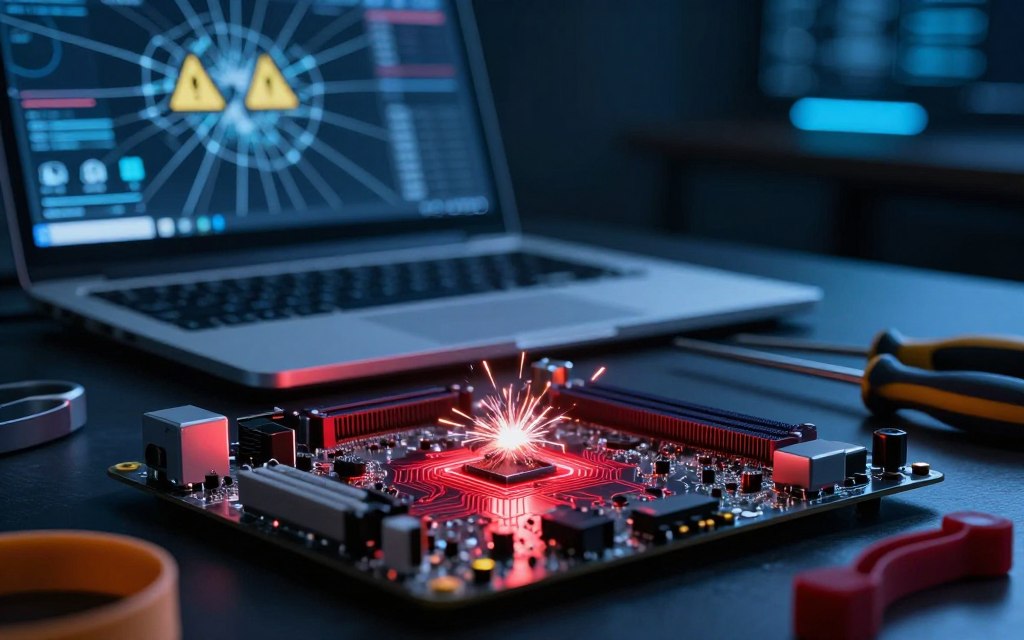

Can a computer virus damage the hardware? Usually, ordinary malware does not physically harm components as mechanical or electrical failures can. However, advanced malware may cause indirect hardware issues or target device-controlling firmware, so knowing this difference is crucial.
Software corruption and firmware attacks can cause problems, but they are not the only sources of computer virus hardware damage. Overheating, electrical stress, and regular wear also cause component failures. Do not assume every crash or malfunction comes from a virus; aging systems and poor cooling cause many problems.
This article examines direct and indirect damage, including Stuxnet and various firmware attacks. It asks, can malware damage computer components, and covers warning signs, preventive measures, and recovery strategies. Although malware-related hardware damage is possible, it remains rare; firmware and industrial controls attacks can have serious implications.
Key Takeaways
- Ordinary malware usually does not physically harm hardware.
- Advanced malware can lead to indirect hardware failures.
- Common causes of component failure include age and overheating.
- Not all system crashes are virus-related.
- Understanding firmware attacks is essential for prevention.
Understanding Computer Viruses and Hardware Components
To understand the dangers of computer viruses, first learn their definition and the hardware they can affect. A computer virus is malicious code that inserts itself into legitimate files or programs. When users run infected content, the virus copies itself and spreads. People often use the term “virus” for worms and ransomware, but each acts differently and creates unique risks.
Understanding the hardware and software interaction within a computer system is essential. The central processing unit (CPU), random access memory (RAM), storage drives, and graphics processor work together to run software instructions. The motherboard links these parts, the power supply provides electrical energy, and the cooling system prevents overheating.
Software sends commands to hardware, which performs electrical and mechanical tasks. This difference helps explain why malware usually causes data loss or system instability, instead of directly damaging hardware. Firmware bridges software and hardware, starts devices, controls low-level functions, and shows the link between malware and computer components.
Can a Computer Virus Damage the Hardware Directly?
Many users ask whether a computer virus can cause direct hardware damage from viruses. The word “virus” may suggest catastrophic failure, but the truth is more complex. A conventional virus works through instructions executed by an operating system or application.
Therefore, it cannot directly alter physical hardware, such as motherboards or storage drives. The key boundary is that software can influence hardware behavior through processor load, fan speeds, and voltage settings. For example, a virus may exploit firmware flaws or corrupt BIOS/UEFI code, causing possible malfunctions.
These software-based malware effects are rare and usually cause temporary issues, not permanent damage.
The Technical Boundary Between Software and Physical Components
In normal use, hardware stays intact while software manages its functions. A virus can send commands that raise processor loads or mismanage fan speeds, causing overheating. Overheating may cause temporary problems, but irreversible physical computer component failure is uncommon.
Direct hardware damage from viruses is also uncommon. However, viruses can influence hardware indirectly through software commands.
Why Most Viruses Target Software Rather Than Hardware
Most malware developers choose software because it is easier to exploit and can produce greater returns. Software attacks can steal sensitive data, bring financial gain, or provide system access. Hardware damage is often a secondary result of malware campaigns, not their main goal.
For example, ransomware may lock users out of their systems, but it usually does not destroy hardware. Software attacks are cost-effective and scalable, so most viruses target software instead of hardware. Knowing this difference helps users judge their risks more accurately.
| Type of Attack | Primary Target | Potential Hardware Impact |
|---|---|---|
| Virus | Software | Indirect (overheating, temporary malfunction) |
| Ransomware | Files/System Access | None |
| Firmware Exploit | Firmware | Possible (corruption, malfunction) |
| Worm | Network/Software | None |
| Trojan | Software | Indirect (could lead to hardware stress) |
Overall, a virus may cause direct hardware issues in limited cases, but malware usually targets software. Users should study software vulnerabilities and maintain proper hardware diagnostics instead of blaming viruses for every hardware failure.
How Viruses Can Indirectly Cause Hardware Damage
Malware can affect hardware indirectly, causing problems users may overlook. Viruses mainly attack software, but overheating and electrical stress can create serious hardware issues. Understanding this indirect hardware damage helps every computer user.
Overheating and Component Failure from Malware Overload
Malware overheating computer systems is one plausible path to hardware damage. It can keep processors, graphics cards, and other components under heavy load. Cryptomining infections and botnet activities create excessive heat, speeding fans, raising power use, and wearing components faster.
Modern systems can throttle or shut down when temperatures pass safe limits. Risks rise when vents are blocked, fans fail, or thermal paste degrades. Hot environments can make these problems worse.
Users should monitor system temperatures to prevent overheating and possible hardware failure.
Power Supply Damage and Electrical Stress
Electrical stress from malware can also damage hardware. Malicious software does not create electricity, but it can force repeated heavy loads on power supplies. This may disrupt power-management settings or trigger unsafe firmware behavior, causing possible electrical damage.
Most electrical problems come from defective chargers, power surges, or low-quality power supplies. Users must separate malware symptoms from physical causes. Regularly checking event logs, running hardware diagnostics, and monitoring temperatures can reveal problems before they worsen.
Real-World Examples of Malware-Induced Hardware Damage
Real-world cases show how malware can cause hardware failures. They reveal how software can cross into the physical world and cause serious damage. The Stuxnet hardware damage case shows this risk clearly.
The Stuxnet Worm and Industrial Control Systems
Stuxnet remains a landmark example of industrial control system malware. It targeted Siemens supervisory software and controlled programmable logic controllers (PLCs) linked to uranium-enrichment centrifuges. This design let it manipulate physical equipment.
The malware changed how these devices worked, pushing them beyond normal limits. It also fooled operators with false system status reports. This cyber-physical operation needed deep knowledge of the hardware and software, showing how targeted malware can damage critical infrastructure.
Bricking Cases: When Firmware Attacks Destroy Devices
A bricked device firmware attack makes a device unusable after a failed or malicious firmware update. It can result from a corrupted bootloader or changed BIOS/UEFI image. Affected devices include routers, smartphones, storage appliances, and specialized industrial equipment.
Bricking has two forms: soft-bricking and hard-bricking. Soft-bricking may allow recovery through factory resets or software updates; hard-bricking often needs replacement hardware or professional reprogramming. A firmware attack may stop booting even when physical components remain intact.
These attacks are more serious than ordinary file-based infections. They show why devices need secure boot processes, signed firmware, and regular vendor updates. Protection is vital for preserving hardware function and lifespan.
Common Types of Malware That Target Hardware
Understanding malware that targets hardware helps protect devices. These threats can operate at different system levels and cause severe consequences. This overview covers two major categories: firmware malware and ransomware hardware lock attacks.
Firmware Malware and BIOS/UEFI Attacks
Firmware malware, including bootkits and firmware implants, runs before the operating system loads. It can survive system reinstalls and interfere with boot processes or security controls. BIOS and UEFI malware attacks are especially concerning because they are complex.
These attacks may need administrator privileges or exploit weak update mechanisms.
Firmware malware can provide unauthorized access to hardware and let attackers control its functions. It can cause serious harm in embedded devices and industrial controllers, where traditional antivirus solutions may fail.
Ransomware with Hardware-Locking Capabilities
Ransomware often encrypts files or systems, but some variants can also disrupt hardware functions. Some attacks disable boot functions or block devices until a ransom is paid. This ransomware may encrypt virtual machines or disrupt storage controllers, making systems unusable.
Destructive malware can overwrite disks or wipe recovery tools, making recovery nearly impossible. Understanding these threats helps separate true hardware attacks from malware that only affects system use.
| Type of Malware | Impact on Hardware | Common Targets |
|---|---|---|
| Firmware Malware | Can manipulate boot processes and control hardware | Embedded devices, industrial controllers |
| Ransomware | Disables boot functions, may lock hardware | Desktops, servers, virtual machines |
| Destructive Malware | Overwrites disks, wipes recovery tools | All types of storage devices |
Warning Signs Your Hardware May Be Compromised
Detecting hardware compromise can help protect your computer system. Understanding the warning signs helps you act quickly. Watch for unusual behavior that may show malware or hardware problems.
Unusual System Behavior and Performance Issues
One early sign of infected computer hardware is unexplained system behavior. You might notice:
- Unusual CPU or GPU usage without running demanding applications.
- Unexpected disk activity, even when your system is idle.
- New administrator accounts that you did not create.
- Disabled security tools that should be protecting your system.
- Frequent browser redirects or unusual boot messages.
- Corrupted files appearing without reason.
- Unexplained firmware-update prompts that seem suspicious.
These malware performance issues may cause crashes, slowdowns, and other system problems. Malware can cause these symptoms, but software conflicts and hardware failures can also cause them.
Physical Symptoms Like Excessive Heat or Noise
Physical signs also need attention. Watch for these symptoms:
- Persistent fan noise or excessive heat during normal operation.
- Unexpected shutdowns or throttling, which may indicate overheating.
- Burning odors or clicking sounds from storage drives.
- Power instability, such as sudden loss of power or flickering.
These computer overheating malware symptoms may signal serious problems. Dust, failing fans, or aging batteries can cause them too.
To protect your data, record when these symptoms occur. Regularly check your system’s temperatures and resource utilization. If you suspect malware, scan your device from a trusted environment and back up important data before invasive troubleshooting.
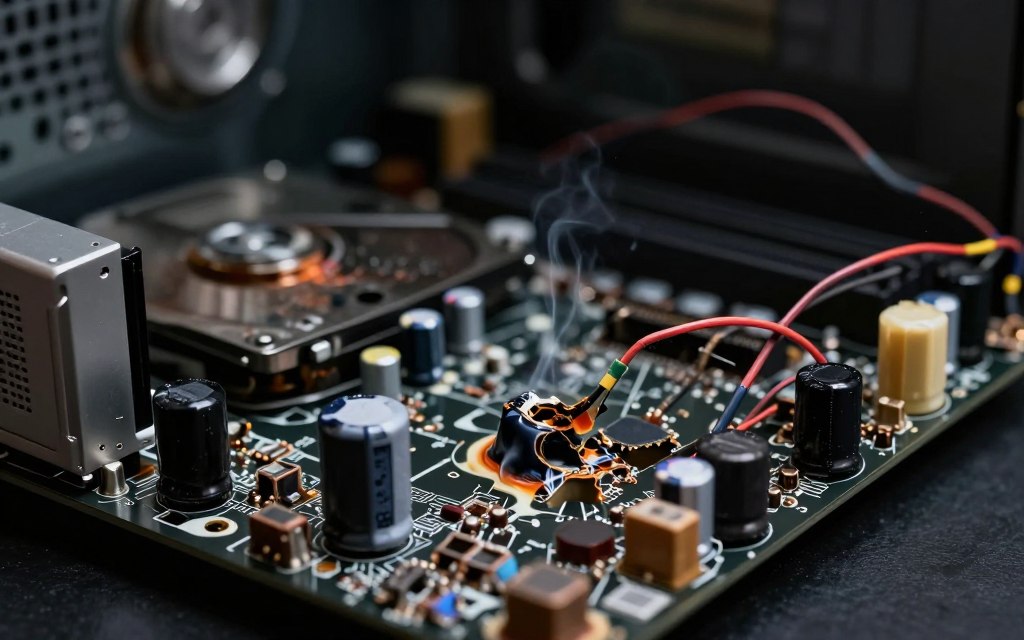
Always stop using a device that emits smoke, sparks, or a burning smell, and disconnect it from power when safe.
How to Protect Your Hardware from Virus Attacks
Use layered defenses to protect computer hardware from viruses. This approach can reduce virus infections and hardware damage.
Essential Security Software and Update Practices
Start with reputable security software to protect computer hardware from viruses. Ensure that you:
- Use endpoint protection: Choose a comprehensive antivirus solution that offers real-time protection against malware.
- Enable automatic updates: Regularly update your operating system and applications to patch vulnerabilities.
- Configure your firewall: Ensure your firewall is active to block unauthorized access.
- Implement multi-factor authentication: This adds an extra layer of security to your accounts.
- Download updates from trusted sources: Always use official vendor portals for firmware updates.
Apply antivirus and firmware updates promptly. Install manufacturer-signed BIOS and UEFI updates to help prevent firmware attacks. Back up your data regularly, especially with offline or immutable backups, to protect against ransomware.
Safe Computing Habits for Hardware Longevity
Safe computing habits can extend hardware life alongside security software. Consider these computer security best practices:
- Maintain clear airflow: Keep vents free of dust to prevent overheating.
- Use surge protectors: Protect your devices from electrical surges.
- Avoid unverified software: Do not download pirated software or unauthorized drivers.
- Monitor temperatures: Be aware of unusual heat, which can indicate problems.
- Practice phishing awareness: Be cautious with email attachments and links.
These computer security best practices can lower the risk of virus attacks. They can also help your hardware last longer.
What to Do If Your Hardware Has Been Affected
When malware compromises your hardware, the right steps can make a major difference. Quick action may prevent more damage and protect your data. Follow these steps if you suspect a malware attack on your hardware.
Immediate Steps After Detecting a Hardware-Targeting Attack
First, isolate the infected computer from every network. Disconnect Wi-Fi and unplug Ethernet cables. This step stops malware from spreading to other devices.
Do not reboot the device repeatedly, especially when you suspect firmware or storage problems. If you see heat, smoke, or strange smells, disconnect power safely. Do not test the device again.
Use a separate, trusted device to change important passwords and protect your accounts. Also, save logs, error codes, and suspicious messages that may reveal attack clues. If possible, photograph any physical symptoms.
When to Seek Professional Repair or Replacement
If the device will not boot or recovery fails, seek professional malware and hardware repair. This is especially important when storage hardware makes unusual noises or controls sensitive equipment.
For inexpensive consumer devices, replacement may be more practical than repair. Servers and industrial controllers need careful remediation and documentation for safety and compliance.
These steps help you respond to malware hardware damage and protect your important data.
Debunking Common Myths About Viruses and Hardware
Understanding virus damage recovery helps clarify persistent myths about viruses and hardware. The permanent hardware damage myth can cause panic and poor recovery choices.
Myth: All Hardware Damage from Viruses Is Permanent
This myth claims that virus damage to hardware cannot be repaired. Yet corrupted operating-system files, damaged boot records, or changed firmware settings often mimic hardware failure. Malware removal, system restoration, or firmware recovery can often resolve these problems.
Sometimes, only a small component needs replacement. Still, repeated overheating or destructive commands can cause lasting damage.
Myth: Antivirus Software Fully Prevents Hardware Attacks
Antivirus limitations are clear: the software detects known malware and suspicious behavior, but it is not foolproof. It cannot fix defective power supplies or guarantee firmware integrity. It also cannot stop every zero-day exploit or prevent users from approving malicious updates.
For comprehensive protection, users should combine antivirus software with regular patching, secure configurations, and consistent hardware maintenance.
| Myth | Reality |
|---|---|
| All hardware damage is permanent | Many issues can be repaired or recovered |
| Antivirus software prevents all attacks | It detects but does not fix all issues |
| Viruses always cause physical damage | Often, software issues mimic hardware failures |
Conclusion
The question is simple: can malware physically damage a computer? The answer depends on the threat. Common file-based viruses usually harm data and software, not hardware. Specialized malware may stress components indirectly or target firmware directly, creating serious risks.
Stuxnet, for instance, shows how targeted attacks can disrupt industrial systems. These attacks rarely affect home users, but they show why strong hardware protection from cyber threats matters. Users should update operating systems and firmware, use trusted security tools, and keep regular backups.
Watch for unusual behavior, including excessive heat or power problems. When hardware compromise seems possible, conduct a computer virus risk assessment and use cybersecurity measures with hardware checks. Common viruses rarely damage hardware directly, but firmware attacks can cause serious harm, so use layered protection.
Staying informed and acting early can greatly reduce malware risks. These steps help protect your hardware’s long-term life and reliability.

 By
By